How to Use JUPAS Simulator: Score Your DSE and Simulate Allocation in 3 Steps
JUPAS Simulator is a free HKDSE score calculator and JUPAS allocation simulator covering the 9 JUPAS institutions and SSSDP — over 400 programmes in total. Enter your DSE results once and you can compute each programme's weighted score, compare it against past admission medians / quartiles, check the minimum entrance requirements, and even simulate your allocation in your chosen order of preference. No sign-up, and your results stay in your browser.
Enter your DSE results
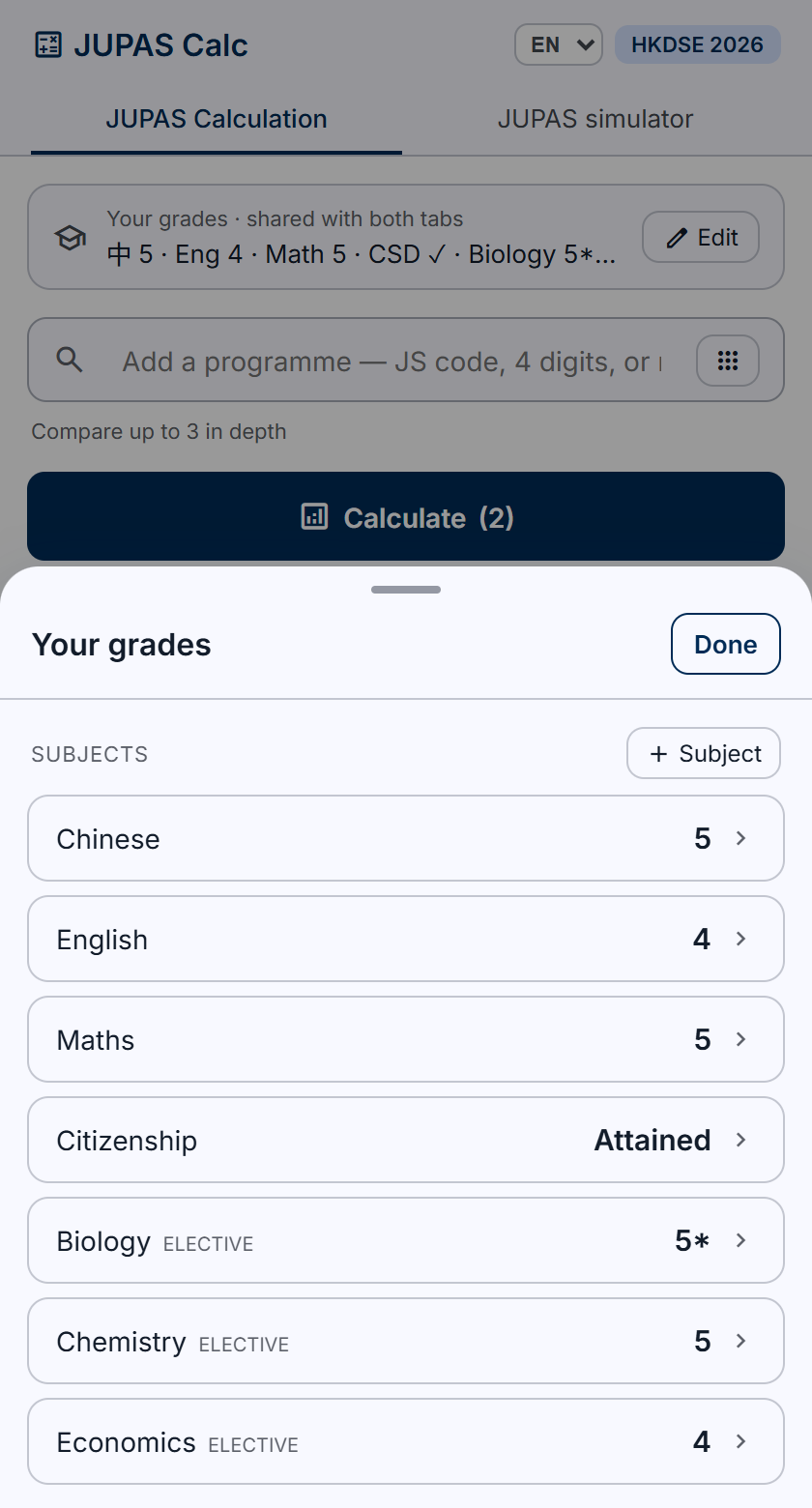
On the home tab, under “Your results”, tap “Edit” and enter your four core subjects — Chinese, English, Maths and Citizenship — then use “Add subject” to include up to 3 electives (M1/M2 Extended Maths, Applied Learning Category B, and Category C other-language subjects such as French or Japanese are all supported). Both tabs share the same results, so you only enter them once.
Add programmes and compute weighted scores
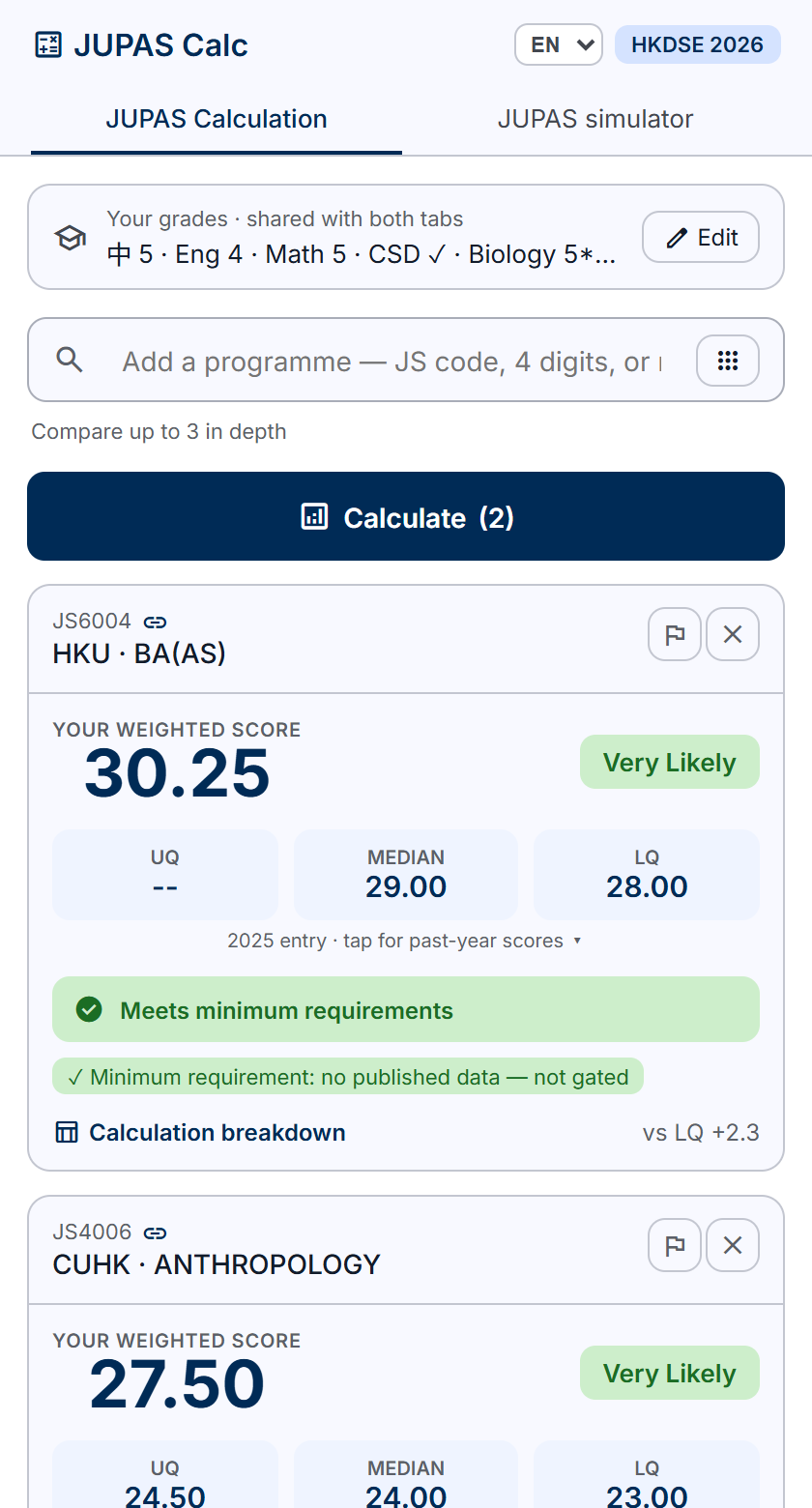
In the search box, enter a JS code (e.g. 6004) or a programme name, add up to 3 programmes, then tap “Calculate”. Each result card shows the weighted score computed with that programme's own scoring method (subject weightings, Best 5 / 4C+2X, etc.), a comparison against the admission median and lower quartile, a minimum-entrance-requirement check, and an admission-chance rating. Open “Calculation details” to see the weight and points for every subject.
Order your choices and simulate JUPAS allocation
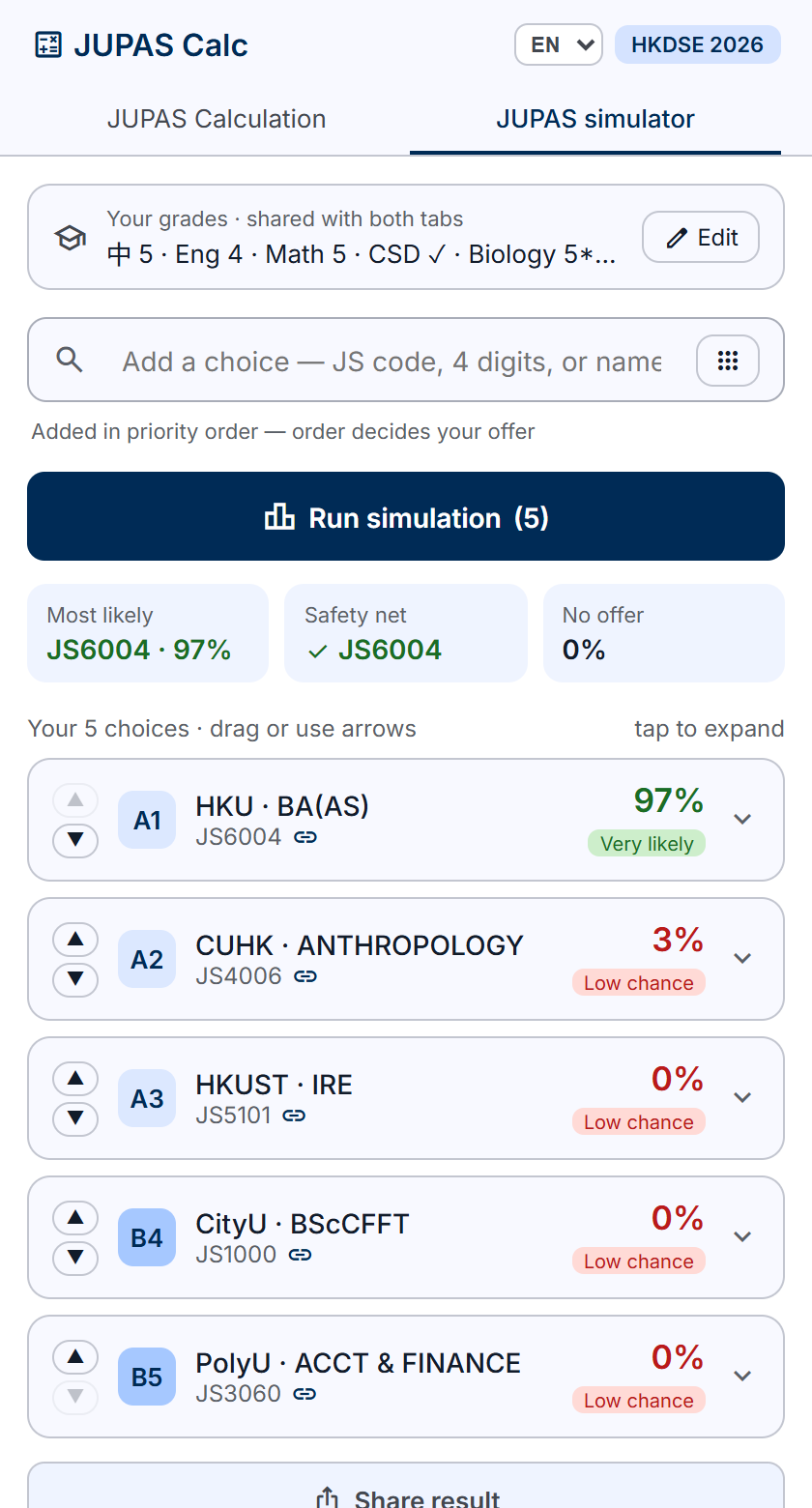
Switch to the “JUPAS Simulator” tab and add up to 20 choices in your intended order of preference (that order is your Band A1, A2, A3 and so on). Tap “Run simulation” to estimate each choice's admission chance, the offer you are most likely to receive, whether you have a dependable safety net, and the risk of receiving no offer at all. Choices can be dragged to reorder and re-simulated instantly.
Frequently asked questions
How does JUPAS Simulator compute weighted scores?
Each programme uses its institution's published scoring method: subject weightings (e.g. English ×2, Maths ×1.5) and the number of subjects counted (Best 5, 4 core + 2 electives, etc.) are applied programme by programme, not with one generic formula. The “Calculation details” on each result card list every subject's weight and points, so the working is transparent.
What are the admission median and quartiles (Median / LQ / UQ)?
Institutions publish the score distribution of admitted students each year: the median is the middle student's score; the lower quartile (LQ) is the 75th-ranked position — three quarters of admitted students scored above it. Above the median your chances are usually stronger; near or below the LQ it is an aggressive choice.
Where does the data come from? Is it accurate?
Admission scores, subject weightings and entrance requirements are compiled from each institution's and JUPAS's public pages and cross-checked by an automated audit. That said, the data may contain errors or be out of date, is not official data, and all estimates are for reference only — actual admission also depends on interviews, portfolios and that year's competition. Spotted an error? Tap “Report an issue” on any result card to let us know.
Is it free? Do I need to register?
Completely free, no registration. Your results are stored only in your own browser and are never uploaded to a server. You can also use “Share results” to copy a link and send your grades and choices to a classmate or an admissions adviser.
Which institutions and programmes are supported?
It covers the 9 JUPAS institutions — HKU, CUHK, HKUST, PolyU, CityU, HKBU, EdUHK, LU and HKMU — plus SSSDP (Subsidy Scheme for Designated Professions/Sectors) programmes, over 400 in total. Every result card links out to the official JUPAS programme page.